
In brief
The Analytics page brings your Google Analytics 4 and Search Console data into axgeo.ai. It shows visits from AI tools such as ChatGPT and Perplexity, the searches that bring people to your site, and which pages turn visitors into leads.
Key points
- Analytics appears in your sidebar when it is switched on for your workspace.
- It needs Google Analytics 4 and Search Console connected on Settings, Integrations.
- Google Analytics data syncs daily at 05:00 UTC and Search Console at 06:00 UTC.
- AI Traffic groups visits by the AI tool that sent them.
- Every tab shares one date range, with an option to compare to the previous period.
- Some figures, such as implied conversions, are estimates and are labelled as such.
The steps at a glance
- 1
Connect your Google accounts
Connect Google Analytics 4 and Search Console on Settings, Integrations.
- 2
Open Analytics
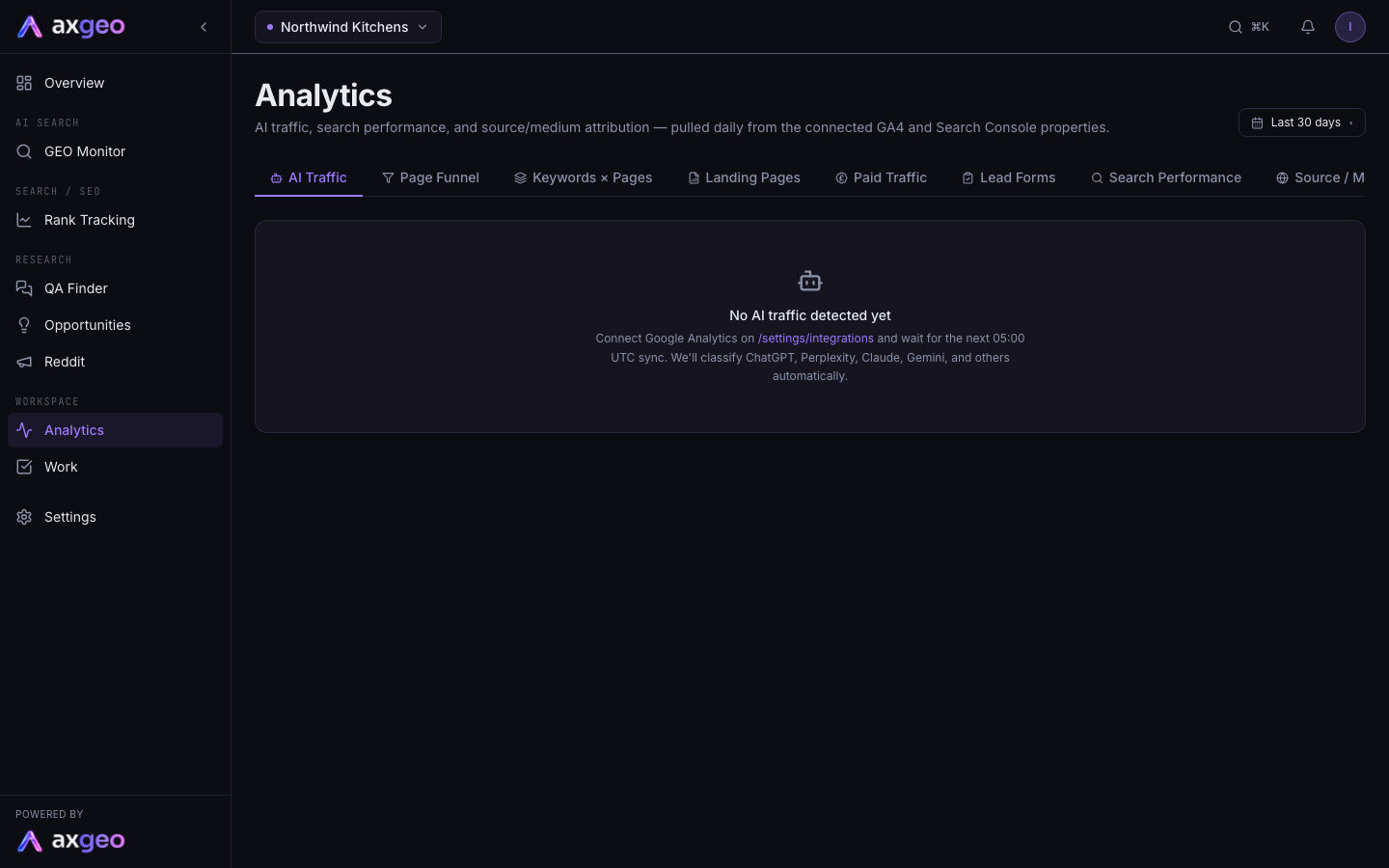
Choose Analytics under Workspace in the sidebar. The AI Traffic tab opens first.
- 3
Pick your dates
Click the date button and choose Today, 7d, 14d, 30d, 90d or 365d, or set a custom range and click Apply custom range.
- 4
Turn on comparison
Tick Compare to previous period to add up and down changes to the headline figures.
- 5
Switch tabs
Use the tabs to move between AI traffic, pages, keywords, paid traffic, leads, search and sources.
The Analytics page shows how people reach your website and what they do when they arrive. It pulls in your Google Analytics 4 and Search Console data, then picks out visits sent by AI tools such as ChatGPT, Perplexity and Gemini. That lets you see whether showing up in AI answers turns into real visits and enquiries.
Analytics appears in your sidebar, under Workspace, when it is switched on for your workspace. If you would like it, email us at [email protected].
How to use Analytics
- Connect Google Analytics 4 and Search Console on Settings, Integrations. See Connect Google services.
- Wait for the first daily sync. Google Analytics syncs at 05:00 UTC and Search Console at 06:00 UTC.
- Open Analytics from the sidebar.
- Click the date button at the top right and pick a range.
- Tick Compare to previous period if you want to see changes against the same length of time just before.
- Move between the tabs to look at different views.
Date ranges
The date button offers Quick ranges of Today, 7d, 14d, 30d, 90d and 365d. Under Custom range, pick a start and end date and click Apply custom range. The range you pick applies to every tab.
With Compare to previous period ticked, the headline cards show a change against the period just before.
What each tab shows
AI Traffic
Here you see the visits that came from AI tools. The cards show AI Sessions, AI Conversions and AI Revenue for your chosen dates, with AI sessions as a share of all your traffic. The AI referrers table breaks this down by tool, with Sessions, Users, Conversions, Revenue and Share. Tools are grouped as ChatGPT, Perplexity, Claude, Gemini, Copilot, You.com, Brave, DuckDuckGo AI and Other AI.
To see which AI answers mention you in the first place, use the GEO Monitor. Sources and AI crawlers shows which sites AI tools cite.
Page Funnel
Page Funnel joins Google Analytics visits with Search Console searches for each landing page. It shows Sessions, AI %, Clicks, Impressions, Average position, the top query and conversions for each page. Tick AI-driven only to see just the pages that AI tools sent visitors to. This tab needs both Google Analytics and Search Console connected.
Keywords x Pages
This table lists every Search Console query next to the page it sends people to, with that page's conversion behaviour. Type in the path box to filter to one page. The Implied column is an estimate. Google doesn't tell Analytics which search a visitor used, so the app shares each page's conversions across its queries by their share of clicks. Treat it as a rough guide for ranking queries by likely value.
Landing Pages
This tab lists the pages people land on first, with Sessions, New users, Engaged %, average engagement time, Bounce, conversions and revenue per session. Use the all, paid, organic and ai buttons to switch channel.
Paid Traffic
This tab shows visits from paid channels, such as paid search and paid social. It includes paid sessions, conversions, lead forms, revenue and paid share of traffic, plus your top paid landing pages. If nothing shows, link your Google Ads account to Google Analytics.
Lead Forms
This tab counts sessions with a lead form, such as a quote, brochure, contact or enquiry form, or a view of a lead page like a thank-you page. Each session counts once, so a reloaded thank-you page doesn't inflate the figure. If you set booking pages, it also counts booked appointments. The What is counted card lists the events and pages being used.
Search Performance
Search Performance is your Search Console data. It lists each query with Clicks, Impressions, CTR (the share of impressions that got a click) and Avg Position. Use the row selector to show more rows.
Source / Medium
This table shows where all your traffic comes from, such as google / organic or chatgpt.com / referral. It includes Sessions, Users, Conversions, Lead forms, Bookings and Revenue.
Common problems
No data yet
If you have just connected, wait for the next daily sync. For an immediate backfill, go to Settings, Integrations and click Sync now on the Google Analytics or Search Console card.
No AI-referred traffic in these dates
Google Analytics is connected and working, but no visits came from an AI tool in that period. Try a wider date range. AI visits often build up as you appear in more AI answers.
Figures look too high
Conversions per session counts events, so one visit can trigger several. Prune the events that count as conversions on Settings, Integrations so only real enquiries count.
I want this in a report
The Search performance section of PDF reports uses this data. See Create and send reports. For your Google positions by keyword, see Read your rank tracking results.