
In brief
Your reviews live on the Google Business page. Google reviews come in automatically, and you can draft a reply to any of them with AI, edit it and copy it into Google. The Other platforms tab tracks reviews from Trustpilot, Checkatrade, Yell and similar sites.
Key points
- Google reviews are pulled in automatically for each tracked location.
- Generate response writes a reply draft that you can edit, then copy into Google.
- Replies are not posted for you, so nothing goes live until you paste it.
- Trustpilot ratings and reviews can be pulled in from your profile link.
- Checkatrade, Yell, Bark, Houzz and other platforms are added by hand.
- Review reply drafts are covered by every current plan.
The steps at a glance
- 1
Open a location's reviews
Go to Google Business, stay on the Google (auto-sync) tab, and press the arrow on a location to show its reviews.
- 2
Draft a reply
Press AI response under a review, then Generate response.
- 3
Edit the draft
Change the text in the box if you need to. Your edits save when you click away.
- 4
Pick and copy
Press Use this one on the draft you want, then press Copy.
- 5
Post it in Google
Paste the reply into the review in your Google Business Profile.
Reviews sit on the Google Business page, which has two review tabs. Google (auto-sync) holds your Google reviews, pulled in for each location, with AI reply drafts. Other platforms tracks ratings and reviews from Trustpilot, Checkatrade, Yell and similar sites. This article covers both.
How to reply to a Google review
- Open Google Business from the Local group in your sidebar. The Google (auto-sync) tab opens first.
- Press the arrow on a location to show its reviews.
- Press AI response under the review you want to answer, then Generate response.
- Read the draft and change anything you like in the text box. Your changes save when you click away from the box.
- Press Use this one on the draft you want to keep. A draft ready label then shows next to AI response.
- Press Copy and paste the reply into the review on your Google Business Profile.
Want a different take? Press Generate another version. Every draft is kept, newest first, so you can compare them.
axgeo.ai does not post the reply for you. Nothing goes live until you paste it into Google yourself.
The draft is written from the review text, the star rating, the reviewer's name and your business name. It also uses your brief, so a clear brief about your tone and services gives better replies.
On the current plans, review reply drafts are covered by your plan. See plans and credits.
How Google reviews arrive
Each tracked location is refreshed every morning, and a review pull is requested at the same time. New reviews usually land within a few hours. Each review shows when it was posted on Google and when it was imported.
Your plan sets how many locations include review tracking.
| Plan | Locations |
|---|---|
| Practice | 1 |
| Practice Plus | 1 |
| Group | 5 |
| Growth | 3 |
| Professional | 5 |
| Agency | 10 |
To refresh a location sooner, press its sync button. To stop tracking a location, press the bell to mute it.
You can also tag a review to the campaign or salesperson behind it, using the Attributed to list. That is covered in Google Business.
The Other platforms tab
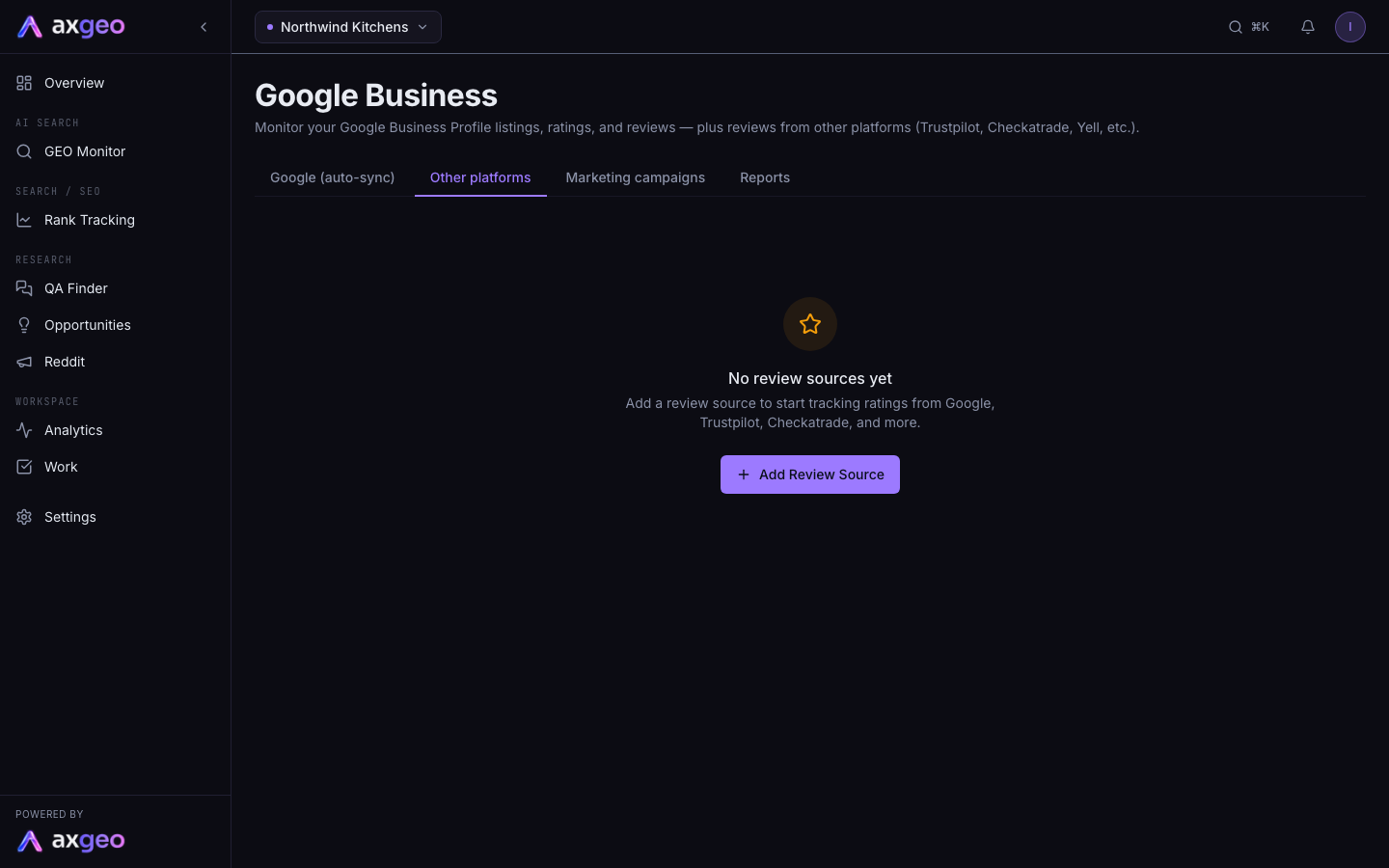
Add a review source
- Open the Other platforms tab on Google Business.
- Press Add Source (or Add Review Source if you have none yet).
- Choose the Platform. The options are Google, Trustpilot, Checkatrade, Yell, Bark, Houzz and Other.
- Enter a Location name, for example London Branch. The Profile URL is optional, and so is the Google Place ID, which only shows for Google.
- Press Add source.
For Trustpilot, paste your Trustpilot profile link (trustpilot.com/review/...) as the Profile URL. axgeo.ai can then pull in your Trustpilot rating and latest reviews. Press Sync ratings now on the source to fetch them. Ratings usually arrive within the hour.
Checkatrade, Yell, Bark, Houzz and Other are added by hand.
Add a review by hand
- Press Add Review in the Recent Reviews card.
- Pick the Source and the Date, and set the Rating.
- Add the Reviewer name, Review URL and Review text if you have them.
- Press Add review.
What the cards mean
- Average Rating is the average across all the reviews recorded on this tab.
- Total Reviews is how many reviews are recorded here.
- Platforms shows the split by platform.
- Review Velocity charts new reviews per month across all platforms.
- Review Sources lists the platforms where you collect reviews, with when each was last synced.
Common problems
A Trustpilot source shows an error
If it asks for the Trustpilot profile link, edit the source and paste the full link to your Trustpilot page as the Profile URL.
There is no sync button on a source
Only Trustpilot sources can be synced. Ratings for other platforms are added by hand.
I can't add a source or review
Members with view-only access can't add or change review sources or reviews. Ask an owner or admin. See members.
No reviews for a Google location
Press the sync button and wait a few hours. If the location has never been synced, the panel says Click sync above to fetch reviews from Google.